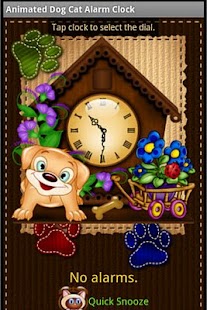
Cane Gatto Alarm Clock Widget
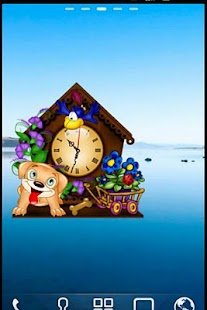
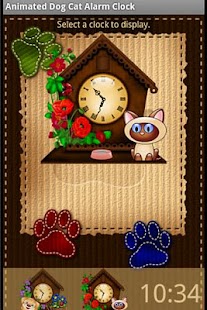
Incluso:-Two-One orologi animati Analogico Digitale Orologio-Seconda Mano (Animazione)-veloce Snooze-Bed-Alarm Clock Come usarlo: Toccare la schermata iniziale, selezionare widget, selezionare l'orologio appropriato.
Si può toccare una volta il tempo per andare al menu.
(Si può anche chiamare lo stesso menu con icone dei programmi sulla schermata iniziale del dispositivo.) Premere il gigantesco orologio per selezionare una selezione di vostra scelta.
Premere il tasto 'Snooze rapida' per attivare un piccolo timer che arriva fino a 60 minuti (ottimo per i sonnellini!).
Se si preme il tasto menu del telefono (una volta nel menu widget), troverete che è possibile aggiungere un allarme oppure è possibile selezionare l'orologio e lo hanno letto al vostro fianco durante il sonno.
Allarmi: Ci sono tre opzioni per l'allarme.
- Regular 'hit-respingere' opzione.
- Opzione matematica, il che significa che un problema di matematica compare e si deve risolvere prima di disattivare l'allarme (solo per assicurarsi che ti svegli).
Niente da svegliarti come aggiunta o sottrazione.
- Opzione Puzzle, il che significa che devi risolvere un puzzle facile respingere l'allarme (per le pesanti traverse).
About Cane Gatto Alarm Clock Widget
- Package name (App ID)
- com.animateddogcat.alarmclock
- Available on
- Google Play
- Price
- Free
- Version
- v1.5
- Developer
- Cutify My Mobile
Looking for the Cane Gatto Alarm Clock Widget APK?
The safest way to get Cane Gatto Alarm Clock Widget (com.animateddogcat.alarmclock) on your Android device is to install it directly from Google Play — you'll always get the latest official version, automatic updates, and no risk of modified or infected APK files from third-party sites.
Weather Features
Get accurate weather forecasts and real-time updates.
Automotive
Manage and monitor your vehicle with smart features.
Personalization
Customize the app to match your preferences and workflow.
Guarda Cane Gatto Alarm Clock Widget in azione
Frequently Asked Questions
Is Cane Gatto Alarm Clock Widget free?
Yes, Cane Gatto Alarm Clock Widget is free to download and install on Android through Google Play.
How do I install Cane Gatto Alarm Clock Widget on Android?
Open Google Play on your Android phone or tablet, search for Cane Gatto Alarm Clock Widget by Cutify My Mobile or tap the Google Play button on this page, then tap Install. The app downloads and installs automatically.
What is com.animateddogcat.alarmclock?
com.animateddogcat.alarmclock is the App ID (package name) of Cane Gatto Alarm Clock Widget on Google Play. Every Android app has a unique package name, and it is the safest way to verify you are installing the official app.
Is Cane Gatto Alarm Clock Widget safe to download?
Installing Cane Gatto Alarm Clock Widget from Google Play is the safest option: you get the official version published by Cutify My Mobile, verified by Google Play Protect, with automatic updates. Avoid APK files from unofficial third-party sites.

Get Cane Gatto Alarm Clock Widget Today
Cane Gatto Alarm Clock Widget for Android — free download on Google Play.
Compatible with Android phones and tablets — available on Google Play.
Chiedi all'IA su questa app
Ottieni risposte istantanee su funzionalita, suggerimenti e altro.